• Skip to main content
  • Skip to main navigation
Baylor University Baylor University
Drupal Developer's Toolbox
Baylor BU Drupal Developer's Toolbox Google Tools Google Looker Studio Setup
  • Google Looker Studio Setup

Google Looker Studio Setup


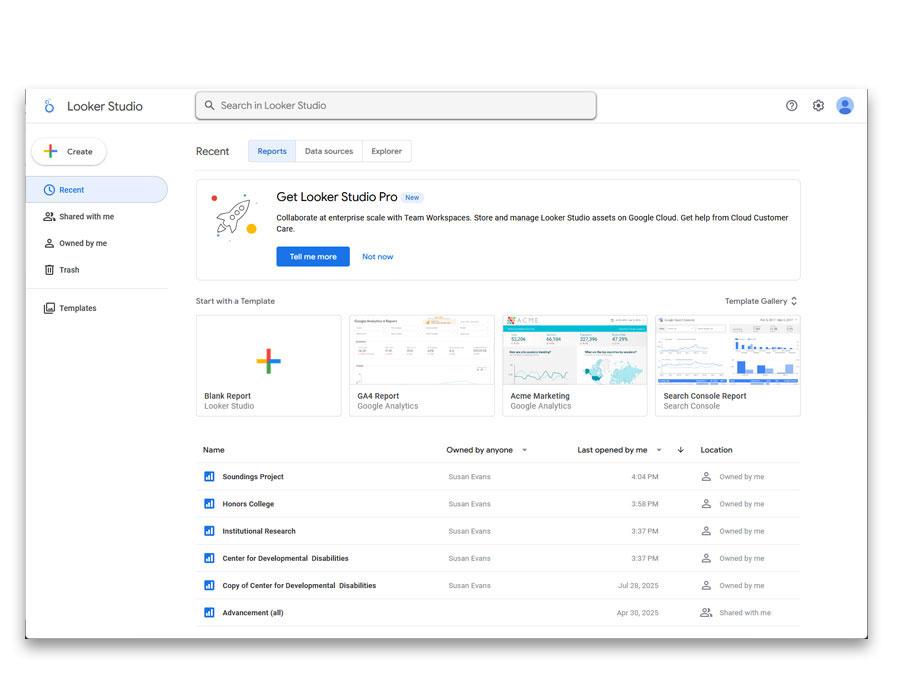
  1. Log in to Google Looker Studio
  2. Choose a previously created report to copy
Google Looker Studio Log in Screen


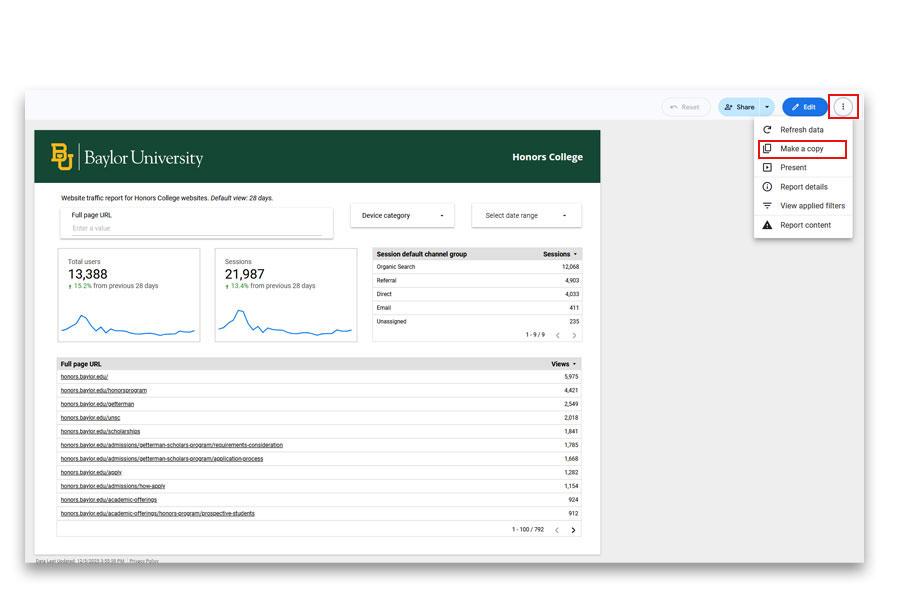
  1. Click on the 3 dots/ellipsis in the top right hand corner of the screen
GLS Slide 2


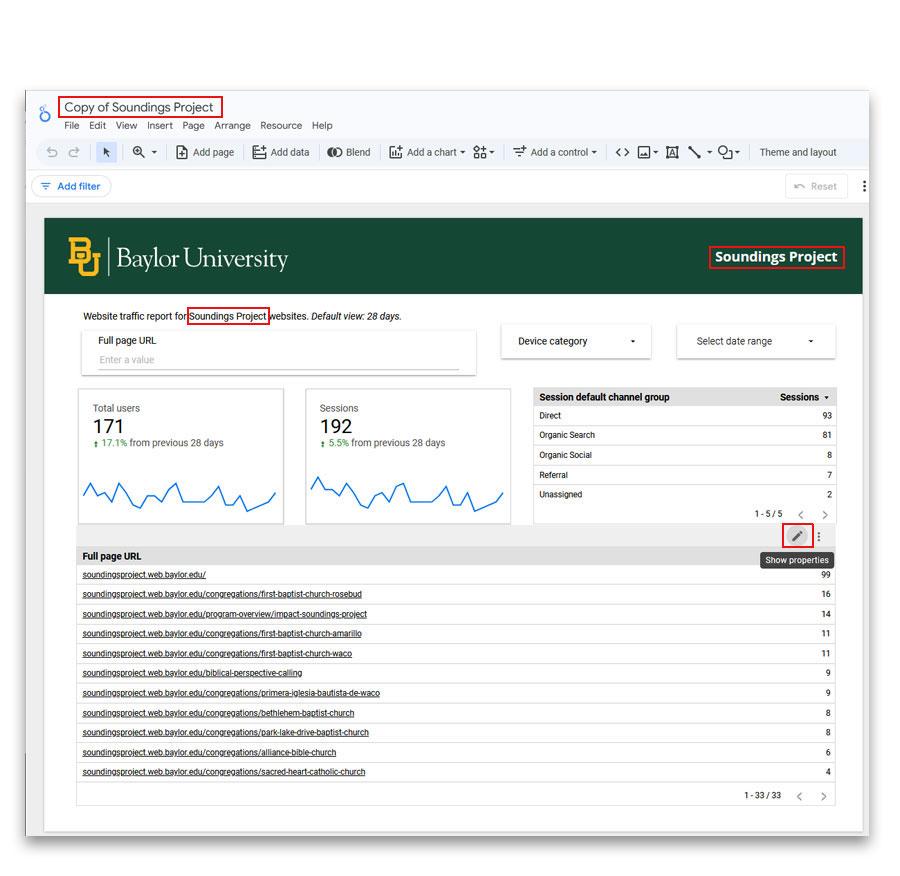
  1. Change the name of the website report
    1. Top left
    2. Web Traffic Report
    3. In green Baylor banner
  2. Mouse over the table until the pencil appears
  3. Click on the pencil icon
GLS Slide 3


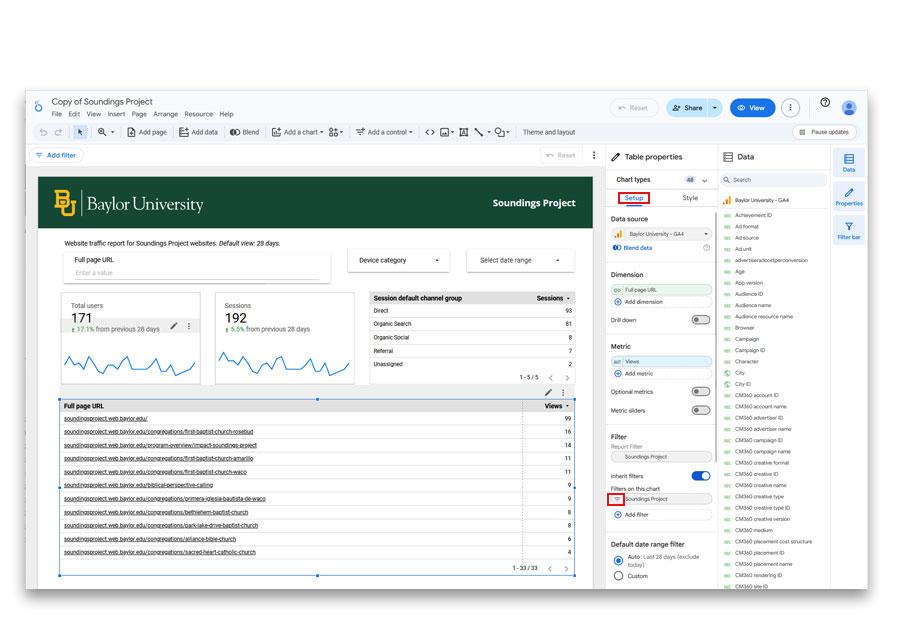
  1. Choose Setup tab in the panel that displays on the right
  2. Under Filter click on the 3 lines that appear by the name of the copied report
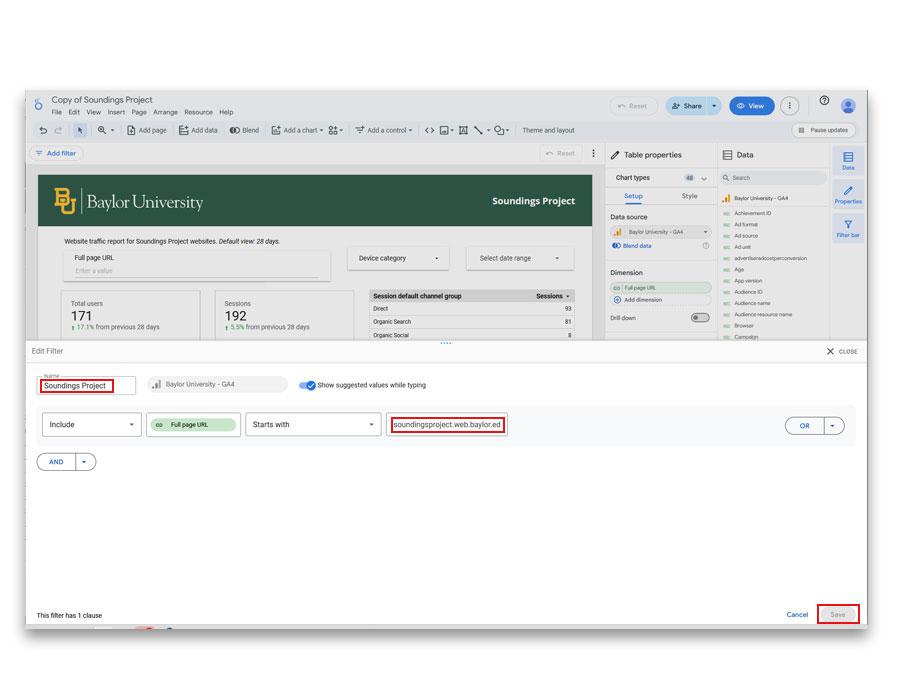
GLS Slide 4


  1. Change the name of the report
  2. Change the url
  3. Save
GLS Slide 5


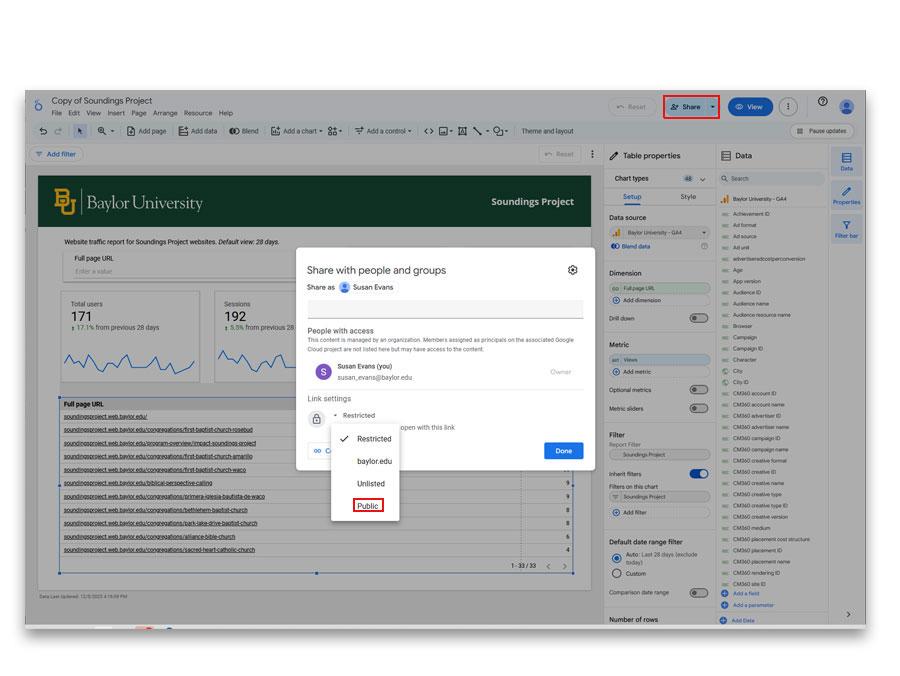
  1. Click Share in the top right
  2. Choose Public
GLS Slide 6


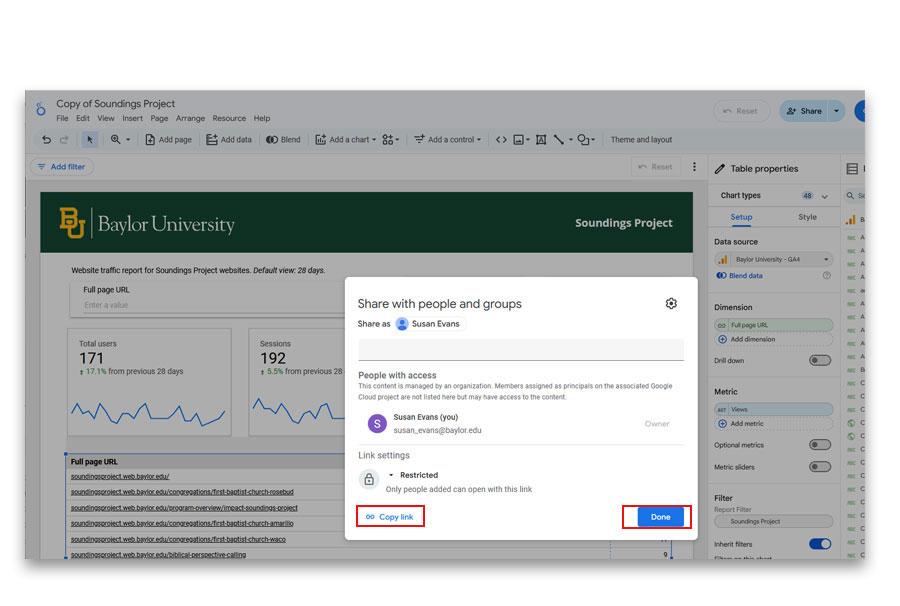
  1. Click the copy link button in order to add to the  Web Manager Information in the CMS website.
GLS Slide 7
Baylor BU Drupal Developer's Toolbox Google Tools Google Looker Studio Setup
  • General Information
  • Academics & Research
  • Administration
  • Admissions
  • Gateways for ...
  • About Baylor
  • Athletics
  • Ask Baylor
  • Bookstore
  • Calendar
  • Campus Map
  • Directory
  • Give to Baylor
  • News
  • Search
  • Social Media
  • Strategic Plan
  • College of Arts & Sciences
  • Diana R. Garland School of Social Work
  • George W. Truett Theological Seminary
  • Graduate School
  • Hankamer School of Business
  • Honors College
  • Law School
  • Louise Herrington School of Nursing
  • Moody School of Education
  • Research at Baylor University
  • Robbins College of Health and Human Sciences
  • School of Engineering & Computer Science
  • School of Music
  • University Libraries, Museums, and the Press
  • More Academics
  • Athletics
  • Compliance, Risk and Safety
  • Human Resources
  • Marketing and Communications
  • Office of General Counsel
  • Office of the President
  • Office of the Provost
  • Operations, Finance & Administration
  • Senior Administration
  • Student Life
  • University Advancement
  • Undergraduate Admissions
  • goBAYLOR
  • Graduate Admissions
  • Baylor Law School Admissions
  • Social Work Graduate Programs
  • George W. Truett Theological Seminary Admissions
  • Online Graduate Professional Education
  • Virtual Tour
  • Visit Campus
  • Alumni & Friends
  • Faculty & Staff
  • Online Graduate Professional Education
  • Parents
  • Prospective Faculty & Staff
  • Prospective Students
  • Students
  • Anonymous Reporting
  • Annual Fire Safety and Security Notice
  • Cost of Attendance
  • Digital Privacy
  • Legal Disclosures
  • Mental Health Resources
  • Notice of Non-Discrimination
  • Report It
  • Title IX
  • Web Accessibility
 
Baylor University
Copyright © Baylor® University. All rights reserved.
Baylor University • Waco, Texas 76798 • 1-800-229-5678